Every slide you ever made, one keystroke away.
Slideflow turns the scattered pile of .pptx files on your disk into one searchable library. Find any slide — by word or by meaning — drag it into a tray, and export a new deck with the exact look of its source.
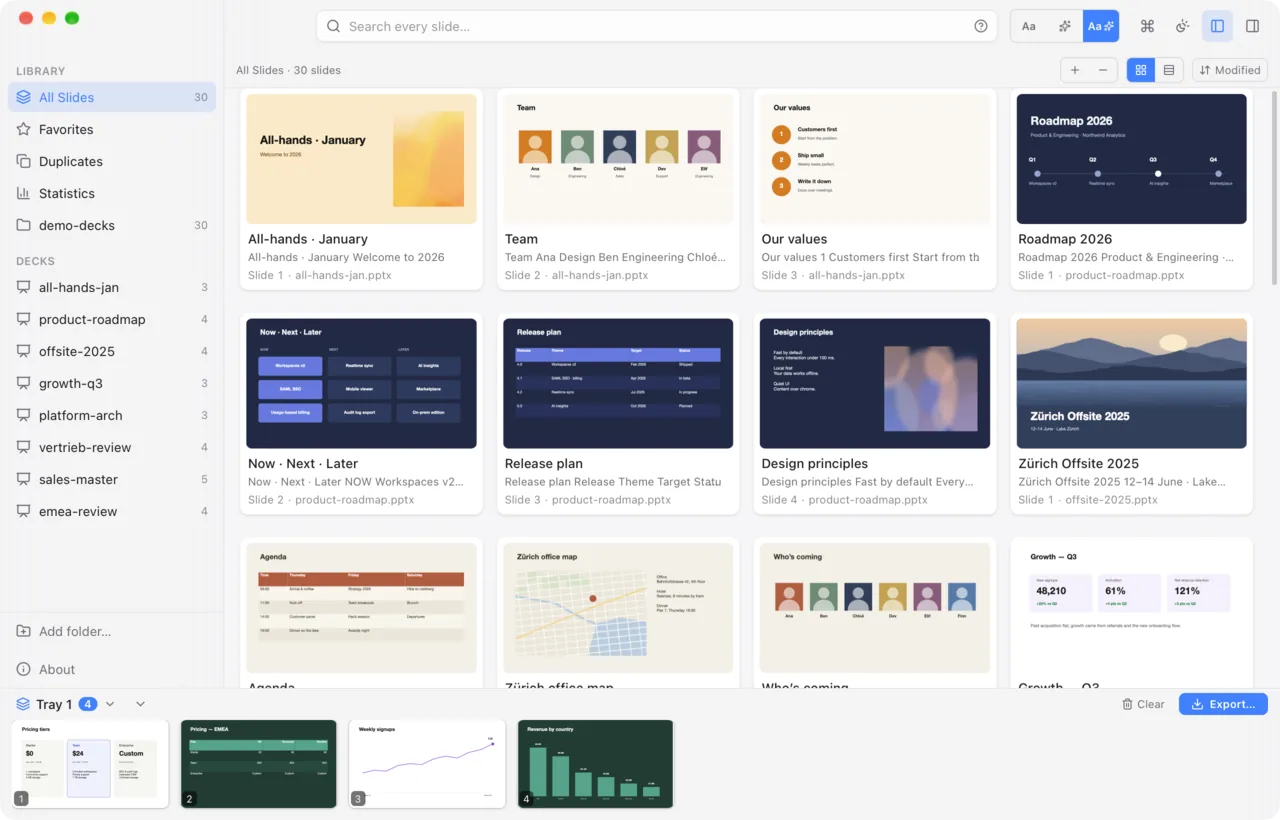
Search the way you think.
Every slide is indexed as its own searchable object — not buried inside a file you have to open.
Every word, every slide
Titles, deck names, body text, and speaker notes — full-text indexed with SQLite FTS5, updated live as files change. Ranked so titles beat body, and body beats notes.
Forgiving by design
Prefix and diacritic-insensitive matching, with highlighted snippets in results.
Precise when you need it
Field scoping, exact phrases, OR / NOT, and date bounds — and any query can be saved to the sidebar.
Search by meaning — AI that stays on your machine.
Can’t remember the words on the slide? Describe it instead. Optional AI search ranks slides by what they’re about — across languages — and gives every slide a Find similar action. Mix it with exact search, or keep it off entirely.
one-time ≈490 MB model download · runs fully offline · off by default
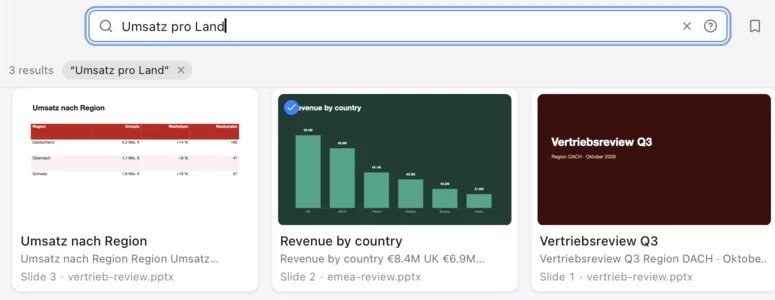
Exactly as you made them.
Most tools that merge slides flatten them — layouts and themes get dropped, and the result looks broken. Slideflow copies each slide’s complete relationship closure, so a composed deck is indistinguishable from its sources.
shared parts deduplicated by content hash
Your slides never leave your machine.
Local-first and offline by design. There is no server, no sign-in, and nothing to upload to. You point Slideflow at folders you already own — that’s the entire trust boundary.
No cloud, no accounts, no telemetry
All parsing, search, preview rendering, and deck composition run natively on your computer. Even the optional AI search runs its model locally.
No third parties touch your files
No LibreOffice, no bundled Python, no conversion APIs. Every .pptx is read and written by pure Rust.
Everything on disk, under your control
The index is one local SQLite file. Delete it, and the index is fully reset. The preview cache re-renders on demand.
The only connections it makes
Slides, index and searches stay on your machine. The app checks GitHub Releases for updates — on by default, can be turned off in Settings, and no content is sent; GitHub sees only standard request metadata (IP address, user agent). Only if you opt in, it downloads the AI search model (~490 MB from Hugging Face, SHA-256-verified) or optional fonts (Google Fonts via GitHub, Microsoft Aptos).
default-src 'self' — the app’s webview can’t phone home even if it wanted to.
Free. Open. Everywhere.
MIT-licensed — read it, fork it, build it, ship it. Powered by a fast, pure-Rust engine on Mac, Windows, and Linux.
$ slideflow search "pricing" --json
Ships with a CLI — the same engine, scriptable.
Also in the box
- Duplicate detection
- Slide tags
- Saved searches
- Multiple trays
- PDF & PNG export
- Drag a slide out as .pptx
- Font management
- Automatic updates
Questions, answered.
Is Slideflow free?
Yes. Slideflow is free and open source under the MIT license — no account, no subscription. Read it, fork it, build it, ship it.
Which platforms does it run on?
macOS (.dmg for Apple Silicon and Intel), Windows (.msi or NSIS .exe) and Linux (.deb, .AppImage or .rpm). All installers are on the GitHub releases page.
Are my slides uploaded anywhere?
No. Your slides, the index and your searches never leave your computer: there is no server, no sign-in and no telemetry. The only network requests are the update check against GitHub Releases (on by default, can be turned off in Settings, no content is sent) and — only if you opt in — the one-time AI search model download (~490 MB from Hugging Face) or optional font downloads.
Do I need PowerPoint or LibreOffice installed?
No. Slideflow reads, previews and writes .pptx files itself with a pure-Rust engine — no LibreOffice, no bundled Python and no conversion APIs.
Will slides keep their formatting when I combine them?
Yes. Slideflow copies each slide’s complete relationship closure — layout, master, theme, media and charts — so a composed deck is indistinguishable from its sources. Shared parts are deduplicated by content hash.
What does Slideflow search?
Every slide in the .pptx files of the folders you choose: titles, deck names, body text and speaker notes, updated live as files change. Matching is prefix- and diacritic-insensitive, and supports field scoping, exact phrases, OR / NOT and date bounds.
How does the AI search work — and is it required?
It is optional and off by default. When you turn it on, Slideflow downloads a ≈490 MB model once and runs it fully offline to rank slides by meaning, across languages, and to find similar slides. You can mix it with exact search or leave it off entirely.
What can I export?
A new .pptx deck built from the slides in your tray, or PDF and PNG images. You can also drag a single slide out as its own .pptx file. A CLI ships with the app for scripting the same engine.